💻 Digital Art · 50 mins · 🌳 Advanced · Ages: 10-12 years, 13+ years
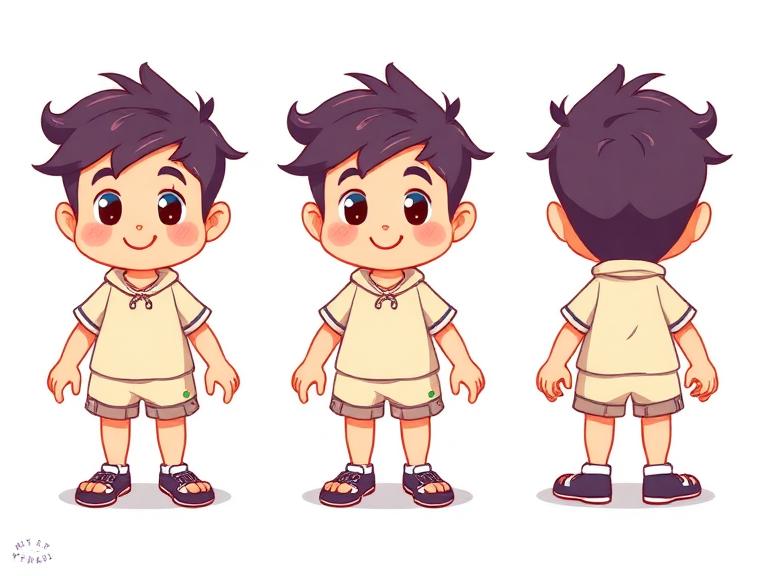
Learn professional character design techniques used in animation and video games! Create a character from scratch — personality first, then visual design. Build a complete character sheet with front, side, and expression views.
Materials Needed
- Computer or tablet
- Our Drawing Canvas tool
- Sketchbook for thumbnails
- Reference images for inspiration
Step-by-Step Instructions 📝
Write a character bio
Before drawing anything, write down: Name, age, personality (3 adjectives), likes, dislikes, a secret, and a goal. Is your character brave and clumsy? Shy but secretly powerful? These traits will directly influence their visual design.
Tip: The most memorable characters have contrasts — a tough-looking character who's actually gentle, or a tiny character who's incredibly brave.
Explore shape language
Different shapes communicate different personalities. Sketch your character using: circles (friendly, approachable), squares (strong, reliable), triangles (dynamic, cunning). Try the same character in all three shape families to see which fits their personality best.
Tip: Round shapes = friendly. Angular shapes = edgy. Mix them for complex characters (round body + angular eyebrows = friendly but determined).
Design the silhouette
A great character is recognizable from their silhouette alone. Draw several solid black silhouettes with different proportions, hairstyles, and accessories. Pick the most distinctive one. If you can tell who it is with no details, the design works!
Tip: Pin your silhouettes to the wall and step back 3 meters. Can you still tell them apart? If not, make them more distinct.
Add colors and details
Choose a color palette that reflects personality: warm colors for friendly characters, cool for mysterious ones, bright for energetic, muted for calm. Design their outfit, hairstyle, and accessories. Every detail should tell something about who they are.
Tip: Limit your palette to 3-4 main colors. Real character designers use strict color rules for consistency.
Draw the character turnaround
Draw your character from the front, 3/4 view, side, and back. Keep proportions consistent using guide lines across all views. This is called a "model sheet" and it's what real animators use to keep characters looking the same from every angle.
Tip: Draw horizontal guidelines connecting key points (top of head, shoulders, waist, knees) across all views.
Create an expression sheet
Draw your character's face showing 6-8 different emotions: happy, sad, angry, surprised, confused, scared, mischievous, and sleepy. These show how the character's features move and stretch. Animation studios always create these before starting a project!
Tip: Push expressions to the extreme first, then dial back if needed. Subtle expressions are harder to read, especially in animation.
You Did It! 🎉
Great job completing this project! Share your creation with friends and family, or try another project from our collection.
More Like This ✨

Digital Space Adventure
Create an amazing space scene using our digital drawing tool! Journey through the cosmos as you paint colorful planets, design your own rocket ship, and populate the universe with stars and friendly aliens. Perfect for kids who love both art and outer space!
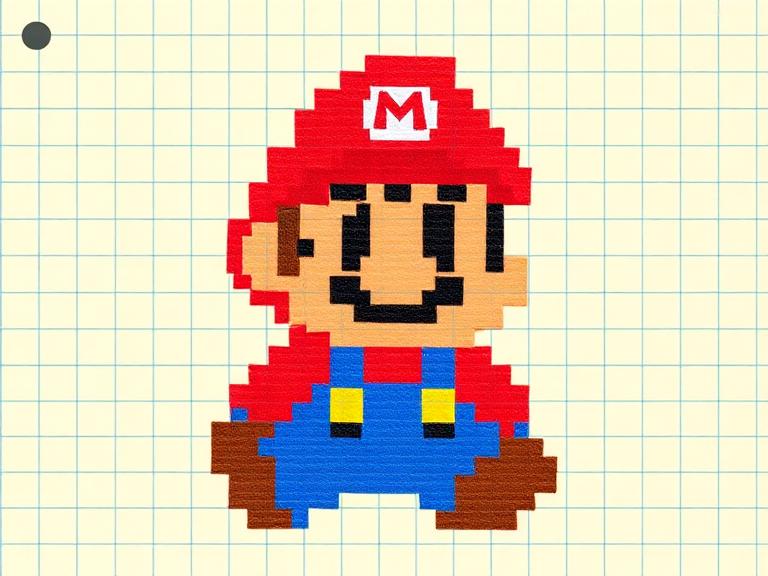
Pixel Art Game Character
Design your own retro-style pixel art game character! Using our Pixel Art Creator tool, you'll plan a character on a grid, choose a limited color palette, and create sprites that look like they belong in a classic video game. 8-bit never goes out of style!

Design Your Own Emojis
Create a set of custom emojis that express YOUR feelings! Design faces, objects, and silly characters using digital tools. Learn about visual communication, expression design, and how simple shapes convey big emotions. Your emoji pack will be one of a kind!
Materials You'll Need
- Computer or tablet
- Our Drawing Canvas tool
- Sketchbook for thumbnails
- Reference images for inspiration
Try It Digitally!
Use our online tool to create a digital version of this project.
Open Digital Tool